Introduction
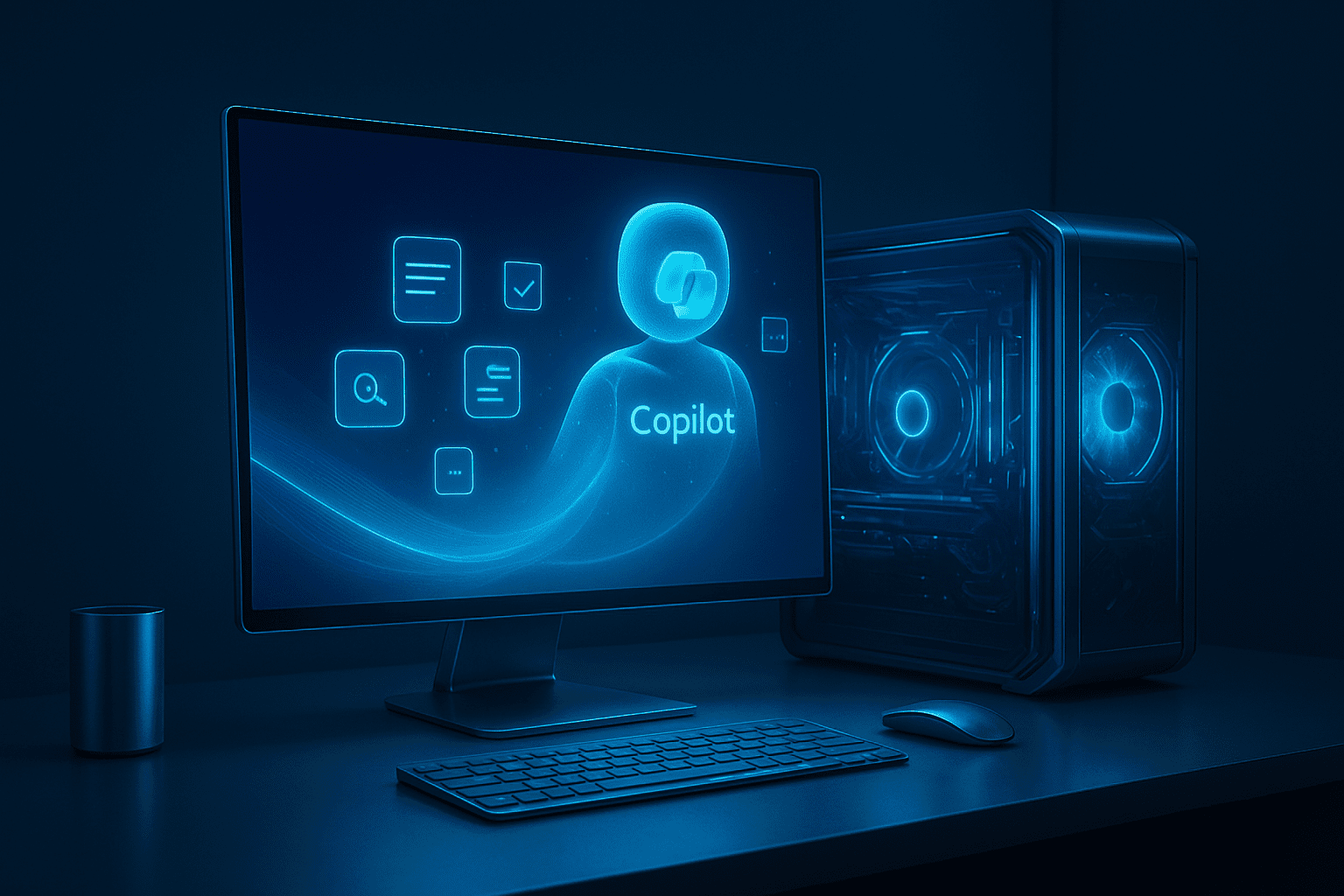
The arrival of Copilot+ PCs with Windows 11 25H2 represents a watershed moment in personal computing, fundamentally transforming how users interact with their devices through revolutionary AI capabilities. These Copilot+ PCs AI enhancements introduce game-changing features like Recall, Click To Do, and Automatic Super Resolution that leverage dedicated Neural Processing Units (NPUs) to deliver unprecedented on-device intelligence.
Copilot+ PCs are being marketed as the fastest, most intelligent Windows PCs ever, and Windows 11 25H2 serves as the platform that unlocks their full potential. This comprehensive guide explores how these AI-powered systems are reshaping productivity, creativity, and user experience in ways that seemed like science fiction just years ago.
What Are Copilot+ PCs?
Definition and Core Architecture
Copilot+ PCs represent the latest generation of Windows AI PCs and laptop devices specifically designed to run advanced artificial intelligence features locally on the device. These systems feature dedicated Neural Processing Units capable of delivering at least 40 TOPS (Tera Operations Per Second) of AI performance.
Key Hardware Requirements:
- NPU Performance: Minimum 40 TOPS AI processing capability
- Supported Processors: Qualcomm Snapdragon X Series, Intel Core Ultra, AMD Ryzen AI
- Memory: Enhanced RAM configurations optimized for AI workloads
- Storage: Fast NVMe storage for AI model caching and data processing
Why NPU Power Matters
The 40+ TOPS NPU requirement enables features to be done locally exclusively on Copilot+ PCs, providing several critical advantages over cloud-based AI processing:
On-Device AI Benefits:
- Privacy Protection: Sensitive data never leaves your device
- Real-Time Processing: Instant responses without internet dependency
- Cost Efficiency: No cloud service fees for AI operations
- Reliability: Consistent performance regardless of network conditions
Evolution from Traditional PCs
Traditional Windows PCs rely primarily on CPUs and GPUs for processing, while Copilot+ PCs introduce a third processing paradigm specifically designed for AI workloads. This architectural shift enables entirely new categories of intelligent applications and user experiences.
Revolutionary AI Features in Windows 11 25H2
Recall: Your Digital Memory Assistant
Recall is one of the exclusive AI superpowers available on Copilot+ PCs, functioning as a comprehensive digital memory system that captures and indexes your computing activity for easy retrieval.
How Recall Works:
- Visual Snapshots: Captures screenshots of your activity at regular intervals
- Semantic Indexing: Uses AI to understand and categorize content
- Natural Language Search: Find information using conversational queries
- Privacy Controls: Requires Windows Hello biometric authentication and user confirmation
Real-World Applications:
- Research Recovery: Quickly find that article you read weeks ago
- Meeting References: Locate specific discussion points from video calls
- Creative Inspiration: Rediscover design ideas and visual references
- Learning Assistance: Review educational content and note-taking sessions
Click To Do: Intelligent Screen Analysis
Click to Do is another Copilot+ PC exclusive feature that scans your screen using a small language model hosted locally, providing contextual assistance based on what’s currently displayed.
Click To Do Capabilities:
- Content Summarization: Generate summaries of articles, documents, and web pages
- Image Analysis: Identify objects, text, and provide contextual information
- Reverse Image Search: Find similar or related images online
- Action Suggestions: Recommend next steps based on screen content
Practical Use Cases:
- Document Review: Quickly understand lengthy reports and presentations
- Shopping Assistance: Get product information and price comparisons
- Learning Support: Explain complex concepts displayed on screen
- Workflow Optimization: Suggest efficient ways to complete tasks
Automatic Super Resolution for Gaming
Auto SR on Snapdragon-powered Copilot+ PCs helps gamers improve visual quality with minimal effort through simplified settings, representing a breakthrough in AI-powered gaming enhancement.
Auto SR Features:
- One-Click Activation: Windows displays a notification allowing users to turn on Auto SR with a single click when supported games launch
- Intelligent Upscaling: AI enhances lower resolution games to display quality
- Performance Optimization: Maintains frame rates while improving visual fidelity
- Seamless Integration: Works automatically with supported games
Key Takeaway Box:
Copilot+ PCs transform computing from reactive to proactive, with AI features that understand context, anticipate needs, and provide intelligent assistance without compromising privacy or requiring cloud connectivity.
Enhanced Camera and Video Capabilities
Windows Studio Effects Revolution
Copilot+ PC owners can now use AI enhancements with any supported camera, expanding the professional video capabilities beyond built-in webcams to external cameras and professional equipment.
Studio Effects Features:
- Background Blur: Professional-quality background separation
- Eye Contact: AI-powered gaze correction for natural video calls
- Automatic Framing: Intelligent camera positioning and cropping
- Lighting Correction: Optimized illumination for various environments
Professional Content Creation
The enhanced camera capabilities transform Copilot+ PCs into powerful content creation workstations:
Creator Benefits:
- Live Streaming: Professional-quality broadcasts without additional equipment
- Video Conferencing: Enhanced presence in business meetings and presentations
- Educational Content: Superior video quality for online teaching and tutorials
- Social Media: High-quality content creation for influencers and marketers
AI-Powered Search and Discovery
Intelligent File Management
The improved search feature is built into Windows Search, Settings, and File Explorer, providing AI-powered discovery capabilities that understand context and intent.
Enhanced Search Capabilities:
- Natural Language Queries: Search using conversational language
- Contextual Understanding: AI interprets intent beyond keyword matching
- Content-Aware Indexing: Searches within documents, images, and media files
- Semantic Relationships: Connects related content across different file types
Cross-Application Intelligence
The AI enhancements create seamless connections between different applications and data sources:
Integration Benefits:
- Unified Experience: Consistent AI assistance across all applications
- Contextual Suggestions: Recommendations based on current activity
- Automated Workflows: AI-powered task completion and optimization
- Personalized Insights: Learning from user behavior and preferences
Real-World Impact and Use Cases
Professional Productivity Scenarios
Business Executives:
Modern executives using Copilot+ PCs can leverage Recall to quickly reference previous meetings, use Click To Do to analyze market reports, and maintain professional video presence with enhanced Studio Effects during client presentations.
Example Implementation: A marketing director prepares for a board presentation by using Recall to find relevant data from previous quarters, Click To Do to summarize competitor analysis documents, and Studio Effects to ensure professional video quality during the virtual presentation.
Creative Professional Applications
Content Creators and Designers:
- Research Enhancement: Recall provides instant access to visual references and inspiration
- Workflow Optimization: Click To Do suggests design improvements and content ideas
- Professional Production: Studio Effects enable high-quality video content creation
- Gaming Content: Auto SR improves game capture quality for streaming
Educational Institution Deployments
Academic Benefits:
- Research Assistance: Recall helps students and faculty locate previous research
- Learning Support: Click To Do explains complex concepts and provides context
- Remote Education: Enhanced video capabilities improve online learning experiences
- Accessibility: AI features support diverse learning needs and styles
Enterprise IT Transformations
Organizational Advantages:
- Productivity Gains: Employees spend less time searching for information
- Training Reduction: Intuitive AI assistance reduces learning curves
- Collaboration Enhancement: Superior video capabilities improve remote teamwork
- Innovation Acceleration: AI-powered tools enable faster decision-making
Hardware Requirements and Compatibility
NPU Specifications and Performance
The 40 TOPS NPU requirement represents a significant technological threshold that enables true on-device AI processing:
Performance Benchmarks:
- Response Times: Near-instantaneous AI feature activation
- Battery Efficiency: Optimized power consumption for AI workloads
- Thermal Management: Efficient heat dissipation during intensive AI operations
- Multitasking: Concurrent AI feature usage without performance degradation
Supported Processor Platforms
Qualcomm Snapdragon X Series:
- Snapdragon X Elite: Premium performance for demanding AI applications
- Snapdragon X Plus: Balanced performance for mainstream users
- Integrated NPU: Purpose-built AI processing units
- Energy Efficiency: Extended battery life for mobile AI computing
Intel Core Ultra Processors:
- Neural Processing Unit: Dedicated AI acceleration hardware
- Hybrid Architecture: Balanced CPU, GPU, and NPU performance
- Platform Integration: Seamless Windows 11 optimization
- Enterprise Features: Business-grade security and management
AMD Ryzen AI Processors:
- XDNA Architecture: Advanced neural processing capabilities
- AI Acceleration: Optimized for machine learning workloads
- Performance Scaling: Adaptable to various AI application demands
- Developer Support: Comprehensive AI development tools
Pros and Cons of Copilot+ PCs and AI Features
Advantages of Copilot+ PC AI Integration
✅ Revolutionary Productivity Enhancement
- Recall eliminates time wasted searching for information
- Click To Do provides instant context and analysis
- AI-powered search understands natural language queries
- Automated workflows reduce repetitive tasks
✅ Privacy-First AI Architecture
- On-device processing protects sensitive data
- No cloud dependency for core AI features
- Biometric authentication required for Recall access
- User control over AI feature activation and data retention
✅ Professional Content Creation Capabilities
- Enhanced camera effects for video conferencing and streaming
- Auto SR improves gaming and multimedia experiences
- AI-powered editing suggestions and optimizations
- Professional-quality output without additional equipment
✅ Future-Proof Technology Investment
- Dedicated NPU enables continuous feature additions
- Local AI processing reduces cloud service dependencies
- Hardware optimized for emerging AI applications
- Platform designed for long-term AI evolution
Potential Drawbacks and Considerations
❌ Hardware Investment Requirements
- Significant cost premium for NPU-equipped devices
- Limited backward compatibility with existing PCs
- Requirement for new hardware purchases to access features
- Higher power consumption during intensive AI operations
❌ Learning Curve and Adoption Challenges
- New interface paradigms require user adaptation
- Potential workflow disruption during transition period
- Training requirements for enterprise deployments
- Resistance from users comfortable with traditional methods
❌ Privacy and Security Concerns
- Comprehensive system monitoring for Recall functionality
- Potential data exposure if security measures fail
- User concerns about AI surveillance capabilities
- Enterprise policy complications for data governance
❌ Feature Exclusivity Limitations
- AI capabilities restricted to Copilot+ PC hardware
- Fragmentation between different Windows 11 user experiences
- Potential software compatibility issues with legacy applications
- Limited availability of NPU-optimized third-party applications
Migration Strategies and Implementation Planning
Enterprise Deployment Considerations
Assessment Phase:
- Hardware Inventory: Evaluate current PC fleet compatibility
- Use Case Analysis: Identify departments benefiting most from AI features
- Cost-Benefit Calculation: Compare productivity gains to hardware investment
- Timeline Development: Plan phased migration approach
Pilot Program Development
Recommended Approach:
- Select Representative Users: Choose diverse user groups for testing
- Feature Training: Provide comprehensive education on AI capabilities
- Feedback Collection: Gather detailed user experience data
- Performance Monitoring: Track productivity and satisfaction metrics
Training and Change Management
User Education Strategies:
- Hands-On Workshops: Interactive training sessions for AI features
- Documentation Development: Create comprehensive user guides and FAQs
- Champion Programs: Identify and train power users as internal advocates
- Ongoing Support: Establish help desk expertise for AI-related questions
Future Developments and AI Evolution
Expected Feature Expansions
Anticipated Enhancements:
- Enhanced Recall Capabilities: Improved search accuracy and content understanding
- Expanded Click To Do: Additional analysis capabilities and action suggestions
- Cross-Device Integration: AI features spanning multiple devices and platforms
- Third-Party Integration: Developer APIs enabling custom AI applications
Industry Impact and Competitive Response
Market Implications:
- Apple Silicon Response: Competition driving ARM-based AI processing development
- Google Chrome OS: Cloud-based AI versus local processing approaches
- Enterprise Software: Business applications integrating with Copilot+ features
- Gaming Industry: Developers optimizing for Auto SR and AI enhancement
Long-Term Vision for AI Computing
Strategic Directions:
- Ambient Intelligence: AI seamlessly integrated into all computing tasks
- Predictive Computing: Systems that anticipate user needs and prepare solutions
- Universal AI Access: AI capabilities available across all devices and applications
- Ethical AI Development: Responsible AI deployment with privacy and transparency
Expert Recommendations and Best Practices
For Individual Users
Adoption Strategy:
- Evaluate Current Needs: Assess whether AI features align with daily workflows
- Budget Planning: Consider total cost of ownership including training time
- Privacy Review: Understand data handling and security implications
- Feature Exploration: Gradually adopt AI capabilities to maximize benefit
For IT Professionals
Implementation Guidelines:
- Pilot Testing: Conduct thorough testing before organization-wide deployment
- Security Configuration: Implement appropriate privacy and security settings
- Training Programs: Develop comprehensive user education initiatives
- Support Infrastructure: Prepare help desk for AI-related support requests
For Business Decision Makers
Strategic Considerations:
- ROI Analysis: Calculate productivity improvements versus hardware costs
- Competitive Advantage: Evaluate AI capabilities for business differentiation
- Change Management: Plan organizational transition to AI-enhanced workflows
- Long-term Planning: Consider AI integration in future business strategy
Expert Analysis: “Copilot+ PCs represent the most significant shift in personal computing since the introduction of graphical user interfaces. The combination of powerful local AI processing with privacy-preserving architecture creates new possibilities for human-computer interaction while maintaining user control and data security.”
Troubleshooting and Optimization
Common Configuration Issues
Typical Problems and Solutions:
- NPU Recognition: Verify hardware detection and driver installation
- Feature Activation: Confirm Windows Hello setup for biometric authentication
- Performance Optimization: Adjust power settings for AI workload balance
- Privacy Configuration: Customize data retention and sharing settings
Performance Optimization Strategies
System Tuning:
- Memory Management: Allocate sufficient RAM for AI feature operations
- Storage Optimization: Use fast NVMe storage for AI model caching
- Power Management: Balance battery life with AI performance needs
- Network Configuration: Optimize connectivity for cloud-enhanced features
Enterprise Management
Administrative Controls:
- Group Policy: Configure AI features across organizational devices
- Security Policies: Implement data governance for AI-generated content
- Monitoring Systems: Track AI feature usage and performance metrics
- Compliance Management: Ensure regulatory adherence for AI data processing
Conclusion
The integration of Copilot+ PCs with Windows 11 25H2 represents a transformative leap in personal computing, introducing AI capabilities that fundamentally change how users interact with their devices. Features like Recall, Click To Do, and Automatic Super Resolution demonstrate the power of on-device AI processing while maintaining privacy and providing instant, intelligent assistance.
These AI enhancements move computing from reactive to proactive, with systems that understand context, anticipate needs, and provide valuable insights without compromising user privacy or requiring constant cloud connectivity. For professionals, students, creators, and organizations, Copilot+ PCs offer unprecedented productivity gains and creative possibilities.
The hardware requirements and investment considerations are significant, but the long-term benefits of AI-powered computing justify the transition for users seeking cutting-edge productivity tools and future-proof technology. As the AI revolution continues, Copilot+ PCs position users at the forefront of intelligent computing evolution.
Ready to experience AI-powered computing? Visit the official Microsoft Copilot+ PCs website to explore available devices, compare specifications, and discover how AI can transform your computing experience.
If this guide helped you, it might help others too — share it now on your favorite platform!
Continue Your Journey With
Enterprise Control in Windows 11 25H2: Easily Remove Pre-Installed Apps
Frequently Asked Questions
Can I upgrade my existing PC to get Copilot+ features, or do I need new hardware?
Copilot+ features require dedicated NPU hardware capable of at least 40 TOPS AI performance, which cannot be added to existing PCs through upgrades. These features are exclusive to new devices equipped with Qualcomm Snapdragon X Series, Intel Core Ultra, or AMD Ryzen AI processors that include integrated NPU capabilities. While some developers have demonstrated ways to enable certain features on unsupported hardware, Microsoft officially restricts these capabilities to Copilot+ PCs to ensure optimal performance and user experience. Users seeking AI-enhanced computing must invest in new Copilot+ PC hardware.
Are Copilot+ PC AI features secure and private?
Yes, Copilot+ PC AI features prioritize privacy through on-device processing that keeps sensitive data local rather than sending it to cloud servers. Recall requires Windows Hello biometric authentication before accessing any captured content, and users maintain complete control over data retention and sharing settings. The 40+ TOPS NPU requirement enables local AI processing exclusively, meaning personal information never leaves your device during AI operations. Microsoft has implemented comprehensive security measures and user controls to ensure AI capabilities enhance productivity while protecting privacy and maintaining data security.
How do AI features in Windows 11 25H2 improve daily productivity?
Windows 11 25H2 AI features revolutionize productivity through intelligent assistance that understands context and anticipates needs. Recall serves as a digital memory, allowing users to instantly find information from previous sessions using natural language searches. Click To Do analyzes screen content to provide summaries, explanations, and actionable suggestions. Enhanced search capabilities understand conversational queries and find relevant content across applications and file types. These features eliminate time wasted searching for information and provide intelligent insights that accelerate decision-making and task completion.
What makes Copilot+ PCs different from regular Windows 11 computers?
Copilot+ PCs feature dedicated Neural Processing Units (NPUs) capable of at least 40 TOPS AI performance, enabling exclusive on-device AI features like Recall, Click To Do, and Automatic Super Resolution. Unlike regular Windows 11 PCs that rely on cloud-based AI processing, Copilot+ PCs perform AI computations locally, providing instant responses, enhanced privacy protection, and reduced dependency on internet connectivity. These systems represent the fastest and most intelligent Windows PCs ever created, specifically designed to run advanced AI applications that aren’t available on traditional hardware.
Fantastic post but I was wanting to know if you could write a litte more on this subject? I’d be very thankful if you could elaborate a little bit more. Appreciate it!
Thanks a lot! Really glad to know you’re enjoying the posts, and it means a lot that you’re following along even while at work. I’ll keep sharing more great content soon!