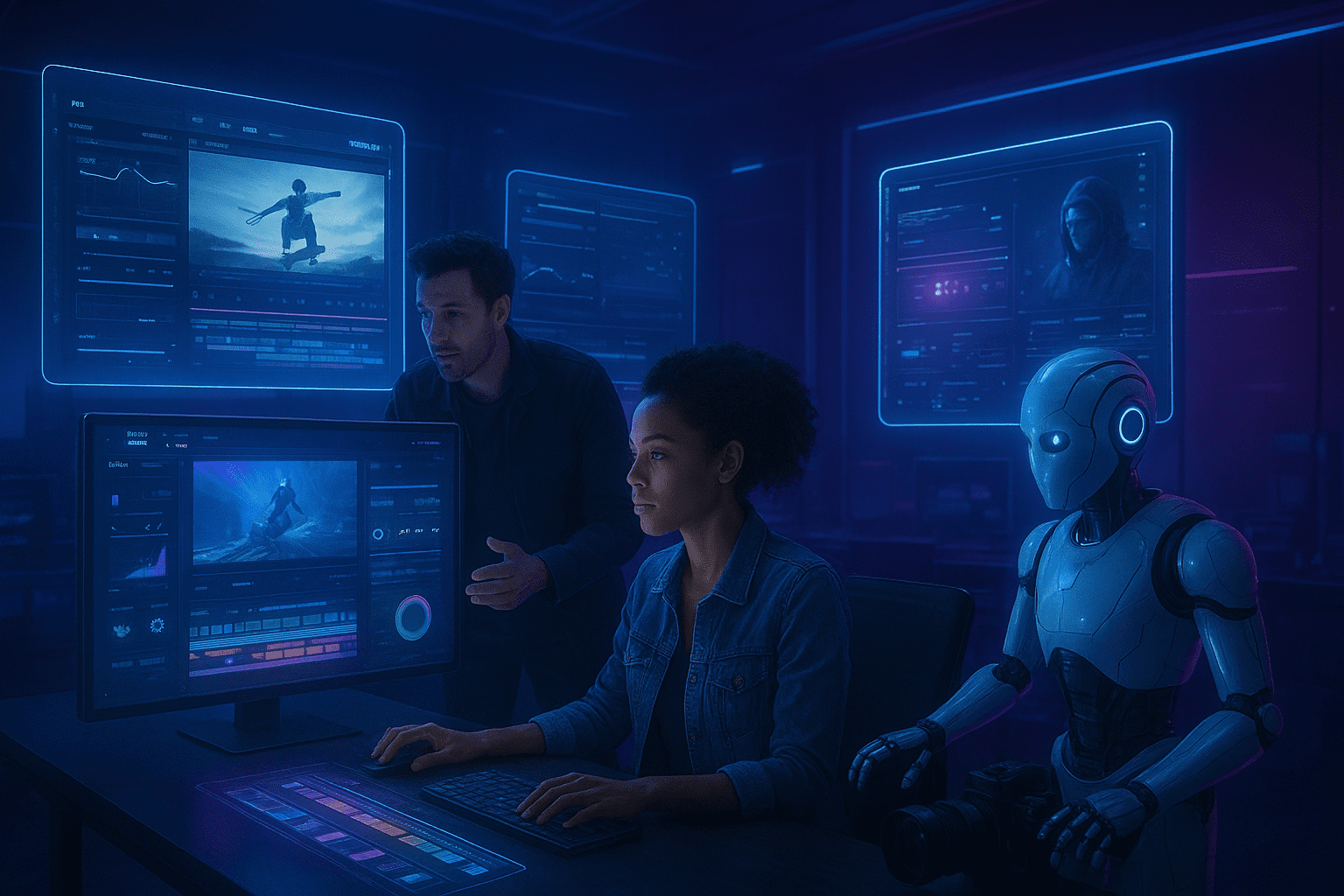
Introduction: The AI Video Editing Revolution
Finding the best AI tools for video editing has become essential for content creators, marketers, and filmmakers who want to stay competitive in 2025. Artificial intelligence has fundamentally transformed video editing from a time-intensive, technical process into an accessible, efficient workflow that anyone can master.
Traditional video editing required years of training, expensive software subscriptions, and countless hours spent on tedious tasks like cutting silences, color grading, and adding captions. Today’s AI-powered video editors handle these tasks automatically, often in minutes rather than hours, while delivering professional-quality results that rival human expertise.
Whether you’re a YouTube creator racing to publish daily content, a social media manager juggling multiple platforms, or a filmmaker looking to streamline post-production, this comprehensive guide will help you navigate the AI video editing landscape. We’ll explore the top platforms, their unique capabilities, pricing structures, and real-world applications so you can choose the tools that best fit your specific needs and budget.
Why AI Video Editing Tools Matter in 2025
The Shift from Traditional to AI-Powered Editing
The video editing industry has undergone a dramatic transformation. What once required specialized knowledge and expensive equipment is now accessible to anyone with a smartphone and internet connection.
Key advantages of AI video editing:
- Time savings of 60-80% on routine editing tasks
- Consistent quality across all projects regardless of skill level
- Accessibility for non-editors who need professional results
- Cost reduction compared to hiring professional editors
- Scalability to handle high-volume content production
The democratization of video editing means small businesses can compete with major brands, solo creators can maintain daily upload schedules, and marketers can test multiple video variations without budget constraints.
What AI Can (and Can’t) Do for Video Editors
AI excels at:
- Removing filler words, pauses, and awkward silences automatically
- Generating accurate captions and subtitles in multiple languages
- Selecting and syncing B-roll footage to narration
- Color grading and lighting adjustments
- Audio enhancement and noise reduction
- Creating social media clips from long-form content
- Scene detection and smart cutting
AI still struggles with:
- Understanding complex creative vision and storytelling nuance
- Making subjective artistic decisions
- Handling highly specific brand guidelines without extensive training
- Capturing emotional resonance that human editors intuitively recognize
The most effective approach combines AI efficiency with human creativity and final oversight.
Top AI Video Editing Tools: Comprehensive Review
1. Descript: The Text-Based Editing Pioneer
Official Website: https://www.descript.com
Descript revolutionized video editing by introducing the concept of editing video through text transcripts. Instead of navigating timelines and clips, you literally edit the transcript as if it were a document, and the video updates automatically.
Key features:
- Overdub technology creates an AI voice clone for corrections
- Studio Sound removes background noise with one click
- Filler word removal automatically eliminates “ums,” “ahs,” and awkward pauses
- Screen recording built directly into the platform
- Multi-track editing for complex projects
- Template library for consistent branding
Pricing:
- Free tier: 1 hour of transcription per month
- Creator: $24/month (10 hours)
- Pro: $40/month (30 hours)
Best for: Podcasters, YouTube creators, educators, and anyone who works with dialogue-heavy content.
Real-world example: A podcast production company reduced their editing time from 3 hours per episode to 45 minutes using Descript’s filler word removal and transcript editing features. This allowed them to take on three additional clients without hiring more staff.
✅ Pros
- Intuitive interface that non-editors can master quickly
- Excellent transcription accuracy (95%+ in most cases)
- Powerful collaboration features for teams
- All-in-one solution reduces software stack complexity
❌ Cons
- Premium features require paid subscription
- Voice cloning has ethical considerations to navigate
- Less suitable for highly visual, cinematic editing
- Export times can be slow for longer videos
2. Runway ML: Professional AI Video Production Suite
Official Website: https://runwayml.com
Runway ML positions itself as the creative suite for the AI age, offering cutting-edge features that seemed impossible just two years ago. This platform targets professional creators who want access to the latest AI video technology.
Standout capabilities:
- Gen-2 text-to-video generates video clips from text descriptions
- Frame interpolation creates smooth slow-motion from regular footage
- Background removal without green screens (incredibly accurate)
- Motion tracking and rotoscoping automated
- Color grading AI matches reference images
- Inpainting removes unwanted objects from video
- Super-slow motion generation from standard frame rates
Pricing:
- Basic: Free (limited credits)
- Standard: $15/month (625 credits)
- Pro: $35/month (2,250 credits)
- Unlimited: $95/month
Best for: Professional video producers, VFX artists, experimental filmmakers, and agencies working on high-end projects.
Industry insight: Runway ML has been used in productions for major studios and advertising agencies. Its AI-powered rotoscoping alone saves hours of tedious manual work that used to require specialized VFX artists.
✅ Pros
- Cutting-edge AI features unavailable elsewhere
- Professional-grade output quality
- Constantly updated with new AI models
- Powerful API for workflow integration
❌ Cons
- Steeper learning curve than beginner tools
- Credit system can get expensive with heavy use
- Rendering times vary based on complexity
- Some features still in beta stages
3. Adobe Premiere Pro with Sensei AI
Official Website: https://www.adobe.com/products/premiere.html
Adobe Premiere Pro remains the industry standard professional editing software, and Adobe’s integration of Sensei AI has transformed it into an AI-powered powerhouse while maintaining all the manual control professionals expect.
AI-enhanced features:
- Auto Reframe intelligently crops footage for different aspect ratios
- Scene Edit Detection identifies cuts in imported footage
- Speech to Text generates searchable transcripts and captions
- Remix automatically adjusts music length to fit your edit
- Auto Color applies intelligent color correction
- Morph Cut smooths jump cuts in interviews
- Content-Aware Fill removes unwanted objects from video
Pricing:
- Premiere Pro: $22.99/month (individual app)
- Creative Cloud All Apps: $59.99/month (includes 20+ apps)
Best for: Professional editors, production companies, filmmakers, and anyone who needs full creative control alongside AI assistance.
Pro perspective: As someone who’s used Premiere for over a decade, the AI features have legitimately changed my workflow. Auto Reframe alone saves me hours when repurposing content for Instagram Reels, TikTok, and YouTube Shorts from horizontal footage.
✅ Pros
- Industry-standard with massive community and resources
- Seamless integration with Adobe ecosystem
- AI enhances without limiting manual control
- Handles projects of any complexity and duration
❌ Cons
- Subscription required (no perpetual license)
- Resource-intensive (needs powerful computer)
- Overwhelming for beginners
- Expensive compared to single-purpose AI tools
4. Pictory: AI Video Creation from Text
Official Website: https://pictory.ai
Pictory takes a completely different approach: it creates videos from written content. This makes it ideal for repurposing blog posts, articles, and scripts into engaging video content without filming anything.
Core functionality:
- Article to video conversion with automatic scene selection
- Script to video with AI-selected stock footage
- Video summarization creates highlight reels automatically
- Auto-captioning with customizable styles
- Voiceover generation with natural-sounding AI voices
- Brand kit maintains consistent styling
Pricing:
- Standard: $23/month (30 videos)
- Premium: $47/month (60 videos)
- Teams: $119/month (90 videos + collaboration)
Best for: Content marketers, bloggers, social media managers, and businesses repurposing written content into video.
Use case: A digital marketing agency used Pictory to transform their clients’ blog posts into 90-second explainer videos for LinkedIn. This expanded their content offerings without hiring video production staff, and their clients saw 3x higher engagement on video posts compared to text-only.
✅ Pros
- No filming or video editing skills required
- Massive stock footage library included
- Fast video production (5-10 minutes per video)
- Excellent for scaling video content production
❌ Cons
- Less creative control than traditional editing
- Stock footage aesthetic may feel generic
- Limited for projects requiring original footage
- AI voice quality varies
5. Opus Clip: AI-Powered Short-Form Content
Official Website: https://www.opus.pro
Opus Clip specializes in one thing and does it exceptionally well: automatically creating viral-worthy short clips from long-form videos. In the age of TikTok, Reels, and Shorts, this capability is invaluable.
Unique features:
- Virality score predicts which clips will perform best
- AI curation identifies the most engaging moments
- Auto-captioning with animated text effects
- Active speaker detection focuses on the right person
- Brand template applies consistent styling
- One-click posting to multiple platforms
- Keyword-based clipping finds specific topics in long videos
Pricing:
- Starter: $19/month (300 minutes processing)
- Pro: $59/month (1,500 minutes)
- Business: Custom pricing
Best for: Podcasters, video podcasters, coaches, speakers, and anyone repurposing long-form content into short clips.
Performance data: Users report that Opus Clip’s AI consistently selects clips that outperform manually chosen segments. The virality prediction algorithm has proven surprisingly accurate, with high-scoring clips generating 5-10x more views on average.
✅ Pros
- Saves enormous time on clip selection
- Data-driven approach to viral content
- Handles multiple aspect ratios automatically
- Great ROI for content repurposing
❌ Cons
- Limited to creating short-form content
- Requires engaging source material to work well
- Monthly minute limits can be restrictive
- Less control over creative decisions
6. Kapwing: Collaborative Online Video Editor
Official Website: https://www.kapwing.com
Kapwing combines AI-powered editing with collaborative features in a browser-based platform. No downloads required—everything happens in your web browser, making it incredibly accessible.
Key capabilities:
- Smart Cut removes silences automatically
- Clean Audio powered by AI noise removal
- Auto-subtitles with 70+ language support
- Remove Background without green screen
- Resize video for different platforms with AI reframing
- Video collages and templates
- Team workspaces for collaboration
Pricing:
- Free: Kapwing watermark on exports
- Pro: $16/month (individual)
- Business: $67/month (3 editors)
Best for: Social media teams, remote collaborators, educators, and creators who need quick edits without software installation.
Team use case: A remote marketing team uses Kapwing for all their social video creation. Team members across different time zones can edit the same project, leave comments, and export final versions without dealing with large file transfers or software compatibility issues.
✅ Pros
- Zero installation—works on any device
- Real-time collaboration like Google Docs
- Generous free tier for testing
- Simple interface for non-technical users
❌ Cons
- Requires stable internet connection
- Limited for heavy-duty professional projects
- Watermark on free exports
- Processing speed depends on browser/connection
7. Final Cut Pro with AI Features
Official Website: https://www.apple.com/final-cut-pro
Final Cut Pro is Apple’s professional video editing software, optimized for Mac systems with powerful AI features that leverage Apple Silicon’s neural engine for incredible performance.
AI-powered tools:
- Object Tracker follows subjects automatically
- Smart Conform intelligently crops for social media
- Voice Isolation removes background noise
- Cinematic mode adds depth-of-field effects to any footage
- Color balance automatically corrects footage
- Automatic proxy workflow for smooth editing on any Mac
Pricing:
- One-time purchase: $299.99 (Mac only)
Best for: Mac users who prefer one-time purchases over subscriptions, professional editors in the Apple ecosystem, and video professionals who value performance.
Performance note: On Apple Silicon Macs (M1, M2, M3, M4), Final Cut Pro’s AI features run significantly faster than competing software because they’re optimized for the neural engine. Rendering that takes 10 minutes in other software can happen in 2-3 minutes.
✅ Pros
- One-time purchase (no subscription)
- Exceptional performance on Apple Silicon
- Magnetic timeline is intuitive
- Optimized for macOS ecosystem
❌ Cons
- Mac-only (no Windows version)
- Smaller user community than Premiere Pro
- Less third-party plugin support
- Learning curve for those familiar with other editors
8. Veed.io: Browser-Based AI Video Editing
Official Website: https://www.veed.io
Veed.io delivers professional AI video editing entirely in your browser, with a focus on creating social media content quickly and efficiently.
Featured AI tools:
- Auto-subtitles with style customization
- Eye contact correction makes you look at camera
- Background noise removal for clean audio
- Filler word removal automatically
- Video translator with dubbed voices in multiple languages
- AI avatar creation for faceless videos
- Magic Cut removes silences and bad takes
Pricing:
- Free: Limited features with watermark
- Basic: $18/month
- Pro: $30/month
- Business: $70/month
Best for: Social media managers, small business owners, educators, and creators who need professional results without professional software.
Accessibility win: Veed.io’s one-click subtitle feature with customizable styles has made video content more accessible to deaf and hard-of-hearing audiences. Many creators report that adding captions also increased their overall view duration by 20-30% as viewers often watch without sound.
✅ Pros
- No software download required
- Fast turnaround for social content
- Stock library included
- Easy brand kit implementation
❌ Cons
- Monthly video minute limits
- Internet-dependent workflow
- Limited for cinematic projects
- Free version has significant restrictions
9. Synthesia: AI Avatar Video Creation
Official Website: https://www.synthesia.io
Synthesia takes a unique approach: instead of editing footage, it creates videos using AI avatars that speak your script. This is revolutionary for training videos, explainers, and presentations.
What makes it different:
- 120+ AI avatars in diverse ethnicities and styles
- Custom avatar creation from your video recording
- 65+ languages with natural voices
- Text-to-video from scripts
- No filming required ever
- Screen recording integration for tutorials
- Template library for common video types
Pricing:
- Starter: $29/month (10 minutes)
- Creator: $89/month (30 minutes)
- Enterprise: Custom pricing
Best for: Corporate training, e-learning, multilingual content, product explanations, and anyone who needs to scale video production without appearing on camera.
Business application: A SaaS company creates product tutorial videos in 12 languages using Synthesia. Previously, they hired voice actors and editors for each language, spending $5,000+ per video. Now they produce the same content for under $100 per video and update it whenever features change.
✅ Pros
- No filming, lighting, or makeup required
- Consistent quality every time
- Easy updates without re-recording
- Multilingual scaling is simple
❌ Cons
- Less authentic than real presenters
- Limited for emotional or casual content
- Character per video limits on lower tiers
- Audience may perceive as impersonal
10. CapCut: Mobile-First AI Video Editor
Official Website: https://www.capcut.com
CapCut (owned by ByteDance, TikTok’s parent company) has become the go-to mobile video editor, with powerful AI features that rival desktop software.
Mobile-optimized AI features:
- Auto-captions with trending text styles
- Background removal works surprisingly well on mobile
- Auto-reframe for different aspect ratios
- Beat sync matches cuts to music automatically
- Voice effects and text-to-speech
- Stabilization for shaky footage
- Template marketplace with trending formats
Pricing:
- Free: With some premium effects/music locked
- Pro: $7.99/month or $74.99/year
Best for: TikTok creators, Instagram Reels producers, mobile-first creators, and anyone editing on-the-go.
Cultural impact: CapCut has democratized video editing for Gen Z and casual creators. Its template library allows anyone to create trending video formats by simply swapping in their clips. This has led to viral format adoption happening in hours rather than weeks.
✅ Pros
- Extremely affordable (nearly free)
- Intuitive touch-based interface
- Templates make trending formats accessible
- Desktop version now available too
❌ Cons
- Less precise control than desktop editors
- Some features require app-specific content
- Privacy concerns (ByteDance ownership)
- Limited for professional productions
Specialized AI Video Editing Use Cases
AI Tools for Podcast Video Editing
Podcast video has exploded with platforms like Spotify Video and YouTube favoring longer content. Descript and Opus Clip dominate this space:
- Descript’s transcript editing makes removing tangents effortless
- Opus Clip creates shareable clips for social promotion
- Combined workflow: Edit full episode in Descript, create clips in Opus
Recommended stack: Descript for full editing + Opus Clip for clip creation = $83/month
AI Video Editors for Social Media Marketing
Social media requires high volume and platform-specific formatting. Kapwing and Veed.io excel here:
- Quick turnaround times for trending topics
- Built-in resize for Instagram, TikTok, LinkedIn, Facebook
- Template libraries speed up production
- Team collaboration for approval workflows
Cost-effective approach: Start with free tiers, upgrade to paid plans ($16-30/month) as volume increases.
AI for Educational and Training Videos
E-learning content benefits from Synthesia and Pictory:
- Synthesia creates consistent trainer avatars
- Pictory turns course materials into video lessons
- Updates require minimal effort compared to re-filming
- Multilingual support reaches global audiences
Educational institution approach: Many schools are building video libraries using these tools at a fraction of traditional production costs.
AI Video Editing for Marketing Agencies
Agencies juggling multiple clients need Adobe Premiere Pro with Runway ML:
- Premiere handles complex, client-specific projects
- Runway provides cutting-edge effects for standout work
- Combined expertise justifies premium pricing to clients
- Scalability across diverse project types
Agency investment: $100-150/month per editor provides comprehensive capabilities.
How to Choose the Right AI Video Editor
Assess Your Specific Needs
Before committing to a platform, honestly evaluate:
Content type:
- Long-form (YouTube, courses) → Descript, Premiere Pro
- Short-form (TikTok, Reels) → CapCut, Opus Clip
- No-footage (text-to-video) → Pictory, Synthesia
- Professional (cinematic) → Premiere Pro, Final Cut Pro
Technical skill level:
- Beginner → CapCut, Veed.io, Pictory
- Intermediate → Descript, Kapwing, Runway ML
- Advanced → Premiere Pro, Final Cut Pro
Budget considerations:
- Tight budget → Free tiers and CapCut
- Moderate budget → $20-50/month tools
- Professional budget → $50-150/month suite
Volume requirements:
- Occasional videos → Free or low-tier plans
- Daily content → Unlimited or high-volume plans
- Agency/team → Business plans with collaboration
Trial Period Strategy
Don’t commit immediately. Most platforms offer free trials—use this testing approach:
- Week 1: Test 2-3 beginner-friendly options (CapCut, Veed.io, Pictory)
- Week 2: Try 2 intermediate platforms (Descript, Runway ML)
- Week 3: Experiment with professional tools (Premiere Pro trial, Final Cut Pro)
- Week 4: Return to top 2 favorites and test with real projects
Document your experience: ease of use, render times, output quality, customer support responsiveness.
Integration with Existing Workflow
Consider how new tools fit with what you already use:
Existing Adobe user? Premiere Pro with Sensei makes sense
Mac ecosystem? Final Cut Pro integrates beautifully
Google Workspace team? Browser-based tools (Kapwing, Veed.io) work seamlessly
Already use Dropbox/Frame.io? Check integration support
Workflow efficiency beats individual tool capabilities. A slightly less powerful tool that integrates perfectly may serve you better than the “best” standalone option.
AI Video Editing Trends Shaping 2025
Real-Time AI Rendering
Processing videos is becoming instantaneous. New AI models can apply effects, color grading, and transitions in real-time during playback, eliminating the frustrating “rendering” wait that has plagued editors for decades.
Impact: Edit, watch final result, export immediately—the gap between creation and distribution shrinks to minutes.
Emotional Intelligence in Editing
Emerging AI can detect emotional beats in footage:
- Identifies moments of tension, joy, surprise, or sadness
- Suggests music that matches emotional arc
- Recommends cut timing for maximum impact
- Adjusts pacing based on viewer attention patterns
Coming soon: AI editors that understand storytelling structure as well as technical execution.
Voice and Accent Customization
Beyond simple dubbing, 2025 AI can:
- Adjust accents while maintaining your actual voice
- Remove regional dialects or enhance them based on target audience
- Change speaking pace without chipmunk effects
- Eliminate speech impediments without losing personality
Ethical considerations: These capabilities raise questions about authenticity and disclosure requirements.
Predictive Content Performance
AI is getting scary accurate at predicting video performance before publishing:
- Analyzes thumbnails, opening hooks, pacing, and topic
- Compares against millions of data points
- Provides confidence scores for view counts
- Suggests specific edits to improve predicted performance
Game-changer potential: Test multiple edit versions, choose the highest-scoring option, significantly improve success rates.
Collaborative AI Co-Pilots
The future isn’t AI replacing editors—it’s AI as an intelligent assistant:
- “Make this section more energetic”
- “Add a montage sequence here with these clips”
- “This is dragging, tighten it up”
- Natural language commands translate to complex editing actions
Think of AI as an intern who learns your style and anticipates your needs.
Best Practices for AI Video Editing
The 80/20 Rule: AI Efficiency, Human Creativity
Let AI handle the 80% that’s technical:
- Removing silences and filler words
- Color correction and audio leveling
- Caption generation and formatting
- Initial clip selection and arrangement
You focus on the 20% that’s creative:
- Storytelling structure and pacing
- Emotional resonance and timing
- Brand voice and personality
- Final polish and unique touches
This division maximizes both efficiency and quality. AI saves hours on tedium; you invest that saved time in what makes your content uniquely valuable.
Quality Control Checkpoints
Never auto-publish AI output without review. Implement these checkpoints:
- Accuracy check: AI-generated captions for errors (names, technical terms, homonyms)
- Context review: Does auto-selected B-roll make sense or is it literal/off-brand?
- Brand alignment: Colors, fonts, music match your style guide?
- Audio quality: AI noise removal didn’t create artifacts or weird sounds?
- Emotional tone: Does the final edit convey the intended feeling?
Budget 10-20% of total time for quality control. This relatively small investment prevents embarrassing mistakes and maintains professionalism.
Continuous Learning and Adaptation
AI tools evolve monthly. Stay current by:
- Following platform update announcements and testing new features immediately
- Joining user communities (Reddit, Facebook Groups, Discord servers)
- Watching tutorial creators who specialize in your chosen tools
- Experimenting with beta features (but not on deadline projects)
- Reading AI/tech news for emerging capabilities
Set a monthly “exploration hour” to try new features and techniques without project pressure.
Common Mistakes to Avoid
Over-Reliance on Automation
The trap: Letting AI make all decisions without human oversight or creative input.
Why it fails: Videos feel generic, miss emotional nuances, and lack the unique perspective that builds audiences.
The fix: Use AI for efficiency, but always inject your creative vision, brand personality, and strategic thinking into the final product.
Ignoring Audio Quality
The trap: Focusing entirely on visual AI tools while neglecting audio quality.
Why it matters: Poor audio is the #1 reason viewers abandon videos, even if visuals are perfect. Human brains are incredibly sensitive to audio quality.
The solution: Prioritize tools with strong AI audio features (Descript’s Studio Sound, Adobe’s noise reduction). Clean audio matters more than 4K resolution.
Choosing Tools for Features You’ll Never Use
The trap: Paying for the most feature-rich platform when you only need basic capabilities.
Reality check: Most users utilize 20% of available features regardless of platform complexity.
Smart approach: Start with simple tools that nail your core needs. Upgrade only when you consistently hit limitations. Don’t pay for theoretical future use.
Neglecting Brand Consistency
The trap: Using whatever templates and stock assets AI suggests without considering brand identity.
Professional standard: Create custom templates, color presets, font pairings, and music libraries that align with your brand.
Implementation: Spend a few hours upfront setting up brand kits in your chosen tool. This one-time investment ensures every video reinforces your identity.
Future-Proofing Your AI Video Editing Skills
Skills That Will Always Matter
Despite rapid AI advancement, these human skills remain invaluable:
Storytelling fundamentals:
- Three-act structure and narrative arcs
- Emotional pacing and viewer psychology
- Character development and relatability
- Conflict and resolution frameworks
Strategic thinking:
- Understanding target audience needs and preferences
- Aligning content with business goals
- Platform-specific optimization strategies
- Distribution and promotion planning
Creative vision:
- Developing unique perspectives and angles
- Brand voice and personality definition
- Aesthetic sensibility and taste
- Innovative format experimentation
Technical foundation:
- Understanding composition, lighting, color theory
- Audio principles and sound design
- Pacing, rhythm, and timing instincts
- Cross-platform formatting requirements
These skills amplify AI capabilities rather than being replaced by them.
Staying Ahead of the Curve
The AI video editing landscape changes rapidly. Position yourself as an early adopter:
- Follow industry leaders: Subscribe to newsletters from platforms you use
- Join beta programs: Get early access to new features and provide feedback
- Network actively: Connect with other creators using AI tools
- Document your process: Share what you learn—teaching reinforces learning
- Embrace experimentation: Allocate budget/time for testing emerging tools
Career advantage: Creators who master new AI capabilities first become the experts everyone else learns from, creating content, consulting, and course opportunities.
Building Your AI Video Editing Toolkit
Starter Package (Budget: $0-50/month)
For beginners and casual creators:
- Primary editor: CapCut (free) or Veed.io Basic ($18/month)
- Subtitle tool: CapCut built-in or Kapwing free tier
- Thumbnail creation: Canva Free
- Stock assets: Pexels and Pixabay (free stock sites)
Investment: $0-18/month
Best for: Testing video creation, building skills, producing content without financial pressure
Intermediate Creator Stack ($50-150/month)
For consistent content producers:
- Main editor: Descript Pro ($40/month)
- Clip creator: Opus Clip Starter ($19/month)
- Advanced effects: Runway ML Standard ($15/month)
- Design: Canva Pro ($13/month)
- Stock footage: Artgrid or Storyblocks subscription
Investment: $87-150/month
Best for: YouTubers, podcasters, social media managers producing regular content
Professional Production Suite ($200-500/month)
For agencies, studios, and serious professionals:
- Primary NLE: Adobe Premiere Pro ($23/month)
- AI effects: Runway ML Pro ($35/month)
- Advanced audio: Adobe Audition (included in Creative Cloud)
- Motion graphics: After Effects (included in Creative Cloud)
- Collaboration: Frame.io ($19-39/month)
- Asset management: Creative Cloud All Apps ($60/month)
- Script/transcription: Descript Pro ($40/month)
Investment: $200-500/month
Best for: Client work, commercial projects, high-end production requirements
Specialized Workflows
Podcast-focused:
- Descript Pro ($40) + Opus Clip ($19) = $59/month
Social media marketing:
- Kapwing Pro ($16) + CapCut Pro ($8) = $24/month
Corporate training:
- Synthesia Creator ($89) + Pictory Premium ($47) = $136/month
Match your stack to your specific content type rather than assembling every tool.
ROI Analysis: Is AI Video Editing Worth the Investment?
Time Savings Calculations
Traditional editing timeline for 10-minute YouTube video:
- Organizing footage: 30 minutes
- Rough cut: 2-3 hours
- Fine tuning: 1-2 hours
- Color correction: 30 minutes
- Audio mixing: 45 minutes
- Captions: 30 minutes
- Export and upload: 20 minutes
Total: 6-8 hours
AI-assisted editing same video:
- Import and auto-transcribe: 15 minutes
- Edit via transcript: 45 minutes
- AI color/audio: 5 minutes (automated)
- Auto-captions: 5 minutes
- Review and final touches: 30 minutes
- Export: 10 minutes
Total: 2 hours
Time saved: 4-6 hours per video (60-75% reduction)
Financial Return Calculations
Scenario: YouTube creator producing 3 videos/week
Without AI tools:
- 24 hours/week editing (3 videos × 8 hours)
- Opportunity cost: Can’t produce more content
- Outsourcing cost: $50-150/video = $150-450/week
With AI tools ($100/month investment):
- 6 hours/week editing (3 videos × 2 hours)
- 18 hours freed for: additional content, business development, creativity
- Could increase output to 5-6 videos/week with same time investment
- Tool cost: ~$25/week
ROI: $125-425/week savings or significant content volume increase
For professional projects, the math is even more compelling: AI tools costing $200/month can save $2,000-5,000/month in editing labor.
Conclusion: Choosing Your AI Video Editing Path
The best AI tools for video editing in 2025 aren’t about finding a single “perfect” solution—they’re about assembling the right combination of capabilities that match your specific needs, skill level, and budget. The AI video editing revolution has made professional-quality results accessible to everyone while giving experts superpowers they could only dream of a few years ago.
Key takeaways from this comprehensive guide:
AI video editing tools have matured dramatically, offering time savings of 60-80% on routine tasks while maintaining or improving quality. The democratization of video production means individuals and small teams can now compete with major studios in terms of technical execution, though storytelling and creative vision remain distinctly human advantages.
The most successful video creators in 2025 embrace a hybrid approach—leveraging AI for efficiency on technical tasks while focusing human energy on strategy, creativity, and authentic connection. Whether you choose Descript’s transcript-based editing, Runway ML’s cutting-edge effects, Adobe’s comprehensive ecosystem, or CapCut’s mobile-first simplicity, the tool matters less than how strategically you implement it.
Your action plan:
- Identify your primary use case: Long-form content, social clips, training videos, or cinematic projects?
- Start with free trials: Test 2-3 tools that match your use case before committing financially
- Master one platform: Depth beats breadth—become expert in your primary tool before adding secondary ones
- Implement systematically: Create templates, presets and workflows that maximize AI efficiency
- Track your results: Measure time savings, quality improvements, and output volume increases
- Iterate and optimize: Refine your toolkit as your needs evolve and new capabilities emerge
The competitive advantage is now. While AI video editing tools are widely available, most creators are still using them at basic levels or ignoring them entirely. Those who deeply understand and strategically implement these tools are producing more content, reaching larger audiences, and building sustainable creative businesses.
Don’t wait for the “perfect” tool or the “right” time. The video landscape evolves rapidly, and practical experience with AI editing trumps theoretical knowledge every time. Choose a tool from this guide today, edit your first AI-assisted video this week, and refine your approach based on real results rather than endless research.
The future of video editing isn’t about AI replacing human creators—it’s about empowered creators using AI to bring their visions to life faster, more affordably, and with higher quality than ever before. Your audience is waiting for content only you can create. AI tools simply help you create it more effectively.
Ready to transform your video workflow? Pick one AI video editing tool from this guide, start a free trial today, and edit your next project using the strategies outlined here. Document your time savings and quality improvements—you’ll be amazed at the difference just one tool can make.
If this guide helped you, it might help others too — share it now on your favorite platform!
Continue Your Journey With:
Elevate Your YouTube Channel Growth With Ai Magic in 2025/2026
If you believe in spreading education and helping others grow, you can support my mission here:
Support Education, Empower Lives
Frequently Asked Questions (FAQs)
What is the best free AI video editing software in 2025?
CapCut stands out as the best completely free AI video editing software in 2025, offering surprisingly powerful features without requiring any payment. The platform includes auto-captions, background removal, beat sync, stabilization, and access to trending templates—capabilities that would cost $20-50/month on competing platforms. CapCit works exceptionally well on both mobile devices and desktop computers, making it ideal for TikTok creators, Instagram Reels producers, and anyone starting their video editing journey. The main limitations are less precise control compared to professional tools and some premium effects being locked behind the optional Pro subscription ($7.99/month). For creators with zero budget who still need professional-looking results, CapCut delivers incredible value, though those requiring advanced features should consider Kapwing’s free tier or DaVinci Resolve (not AI-focused but completely free professional editing software) as alternatives.
Can AI video editing tools completely replace human editors?
AI video editing tools cannot fully replace human editors, but they dramatically enhance editing efficiency and accessibility. AI excels at technical, repetitive tasks—removing filler words, generating accurate captions, color correction, noise removal, and even selecting relevant B-roll footage. These capabilities can reduce editing time by 60-80% and produce technically polished results that rival manual work. However, AI still struggles with subjective creative decisions, understanding narrative storytelling nuances, capturing emotional resonance, and making artistic choices that align with specific brand identities or creative visions. The most effective approach in 2025 combines AI automation for technical heavy lifting with human oversight for creative direction, strategic thinking, and final quality control. Professional editors who embrace AI tools are thriving by handling more projects and focusing their expertise on high-value creative decisions, while those resisting AI adoption are increasingly at a competitive disadvantage. The reality is that AI-assisted editors are replacing traditional editors, not AI itself.
How much do professional AI video editing tools cost?
Professional AI video editing tool costs vary significantly based on features and usage levels, ranging from completely free to $500+ monthly for enterprise solutions. Most individual creators spend $50-150/month for a solid professional toolkit that includes primary editing software, AI enhancement features, and collaboration capabilities. Specifically, Descript Pro costs $40/month, Adobe Premiere Pro is $23/month (or $60/month for full Creative Cloud), Runway ML Pro costs $35/month, and Opus Clip Pro is $59/month. Many platforms offer annual subscriptions with 15-30% discounts compared to monthly billing. Budget-conscious professionals can start with powerful free options like CapCut and gradually invest in paid tools as revenue increases, while established agencies and studios typically budget $200-500/month per editor for comprehensive capabilities. The ROI calculation matters more than raw cost—tools that save 10-15 hours weekly easily justify $100-200 monthly investments when you consider the value of that reclaimed time for additional projects, business development, or creative work that drives revenue.
Which AI video editor is best for YouTube content creators?
For YouTube content creators, Descript emerges as the best overall AI video editor due to its transcript-based editing approach, which perfectly suits the dialogue-heavy, long-form content typical of successful YouTube channels. Descript’s ability to edit video by simply editing text makes removing tangents, false starts, and filler words incredibly intuitive, reducing editing time by 60-70% compared to traditional timeline editing. The platform’s Studio Sound feature dramatically improves audio quality with one click, addressing the primary reason viewers abandon videos. Additionally, Descript’s automatic caption generation improves accessibility and watch time. For YouTubers focused on short-form content for Shorts, CapCut or Opus Clip become excellent complementary tools, with Opus Clip specifically excelling at identifying the most engaging moments from longer videos and automatically creating optimized vertical clips. Many successful YouTubers use a combined workflow: Descript for editing full-length videos and Opus Clip for generating Shorts for promotional content. This combination costs approximately $59-99/month depending on usage volume but delivers professional results while dramatically reducing the time investment required to maintain consistent upload schedules.