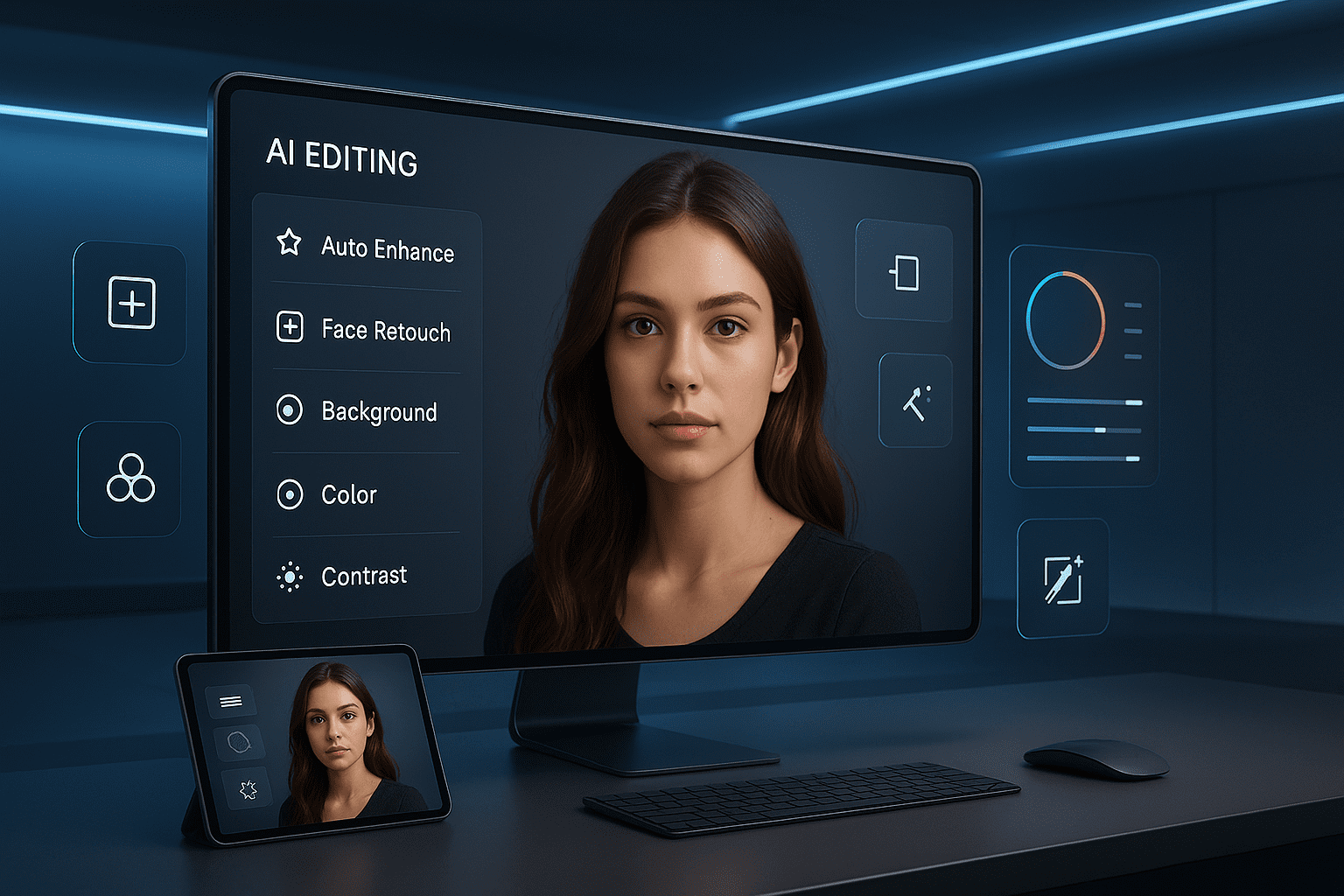
Introduction: The AI Photography Revolution
Finding the right AI photo editing apps has become essential for photographers, content creators, and anyone wanting professional-quality images without years of technical training. Artificial intelligence has fundamentally transformed photo editing from a complex, time-intensive craft requiring Photoshop mastery into an accessible process where stunning results happen with simple taps and intelligent suggestions.
Traditional photo editing demanded understanding layers, masks, curves, color theory, and countless technical concepts that took months or years to master. Today’s AI photo editing apps handle the technical complexity automatically—removing backgrounds instantly, enhancing portraits with one tap, changing entire scenes intelligently, and achieving results that would have required professional retouchers just a few years ago.
This comprehensive guide explores the top AI photo editing apps available in 2025, covering mobile and desktop options across different price points and use cases. We’ll examine what makes each app exceptional, compare features and capabilities, provide honest assessments of strengths and limitations, and help you choose the perfect AI photo editor for your specific needs—whether you’re editing smartphone snapshots, professional photography, social media content, or e-commerce product images.
What Makes AI Photo Editing Different
Traditional vs. AI-Powered Editing
Traditional photo editing workflow:
- Manual selection of subjects using lasso or pen tools (5-15 minutes)
- Layer-by-layer adjustments requiring technical knowledge
- Trial-and-error color correction and exposure balancing
- Manual retouching of skin, blemishes, and imperfections
- Complex masking for selective adjustments
- Hours per image for professional results
AI-powered editing workflow:
- One-tap subject recognition and isolation (seconds)
- Intelligent automatic adjustments understanding image content
- AI-suggested edits based on photographic best practices
- Automated portrait retouching maintaining natural appearance
- Smart selection tools that understand what you want to edit
- Professional results in minutes, not hours
The transformation isn’t just speed—it’s accessibility. Non-professionals now achieve results previously requiring expensive software and years of training.
Key AI Technologies in Photo Editing
Modern AI photo editors leverage:
Semantic segmentation: AI understands what’s in your photo (people, sky, buildings, objects) and can edit each element intelligently and separately.
Generative AI: Creates new image content that didn’t exist, like extending backgrounds, removing objects cleanly, or changing entire elements realistically.
Neural networks for enhancement: AI trained on millions of professional photos understands what “better” looks like and applies appropriate improvements automatically.
Computational photography: Combines multiple frames or processing techniques for results impossible with single traditional edits.
Style transfer: AI learns artistic or photographic styles and applies them intelligently while preserving image content.
Best AI Photo Editing Apps for Mobile
1. Adobe Lightroom Mobile with AI
Official Website: https://www.adobe.com/products/photoshop-lightroom.html
Adobe Lightroom Mobile combines professional photography tools with cutting-edge AI features, making it the gold standard for serious mobile photo editing.
AI-powered capabilities:
- Auto adjustments: AI analyzes your photo and applies optimal exposure, contrast, color, and tone
- AI masking: Select people, sky, background, or objects with one tap for selective editing
- Adaptive presets: AI-powered filters that intelligently adjust to each specific photo
- Lens blur: Realistic depth-of-field effects added to any photo
- AI healing: Remove unwanted objects with content-aware fill
- Noise reduction: AI-powered denoise for low-light photos
- Upscaling: Enhance resolution intelligently (paid feature)
Pricing:
- Free: Core editing tools with limited cloud storage
- Premium: $9.99/month (all AI features, cloud storage, desktop sync)
Best for: Photographers who want professional-grade mobile editing with desktop-class capabilities and organizational tools.
Professional workflow: A travel photographer shoots on mirrorless camera, imports to Lightroom Mobile via SD card reader, applies AI auto-adjustments as starting point, uses AI masking to selectively enhance sky and foreground separately, exports edited JPEGs, and syncs RAW files to desktop Lightroom for final processing—all during the flight home.
✅ Pros
- Professional-grade capabilities on mobile
- Seamless desktop-mobile workflow
- Non-destructive editing with version history
- Excellent organizational features
- Regular AI improvements
❌ Cons
- Best features require subscription
- Can be overwhelming for beginners
- RAW editing limited on free tier
- Requires Adobe account
2. Snapseed: Google’s Free Powerhouse
Official Website: https://snapseed.online
Snapseed offers remarkably sophisticated AI editing completely free, with no ads, watermarks, or subscription pressure—making it exceptional value.
AI editing features:
- HDR-scape: AI-enhanced HDR effects for dramatic images
- Portrait AI: Automatic face detection with skin smoothing and eye enhancement
- Healing tool: AI-powered object removal
- Selective adjustments: AI-assisted precise area editing
- Perspective correction: Intelligent distortion fixes
- Expand: AI-generated content to extend image borders
- Lens blur: Realistic bokeh effects
Pricing: Completely free with no limitations
Best for: Budget-conscious users, beginners learning photo editing, anyone wanting powerful tools without subscription commitments.
Use case: A small business owner photographs products on smartphone for online store. Snapseed’s AI removes background distractions, corrects perspective distortion, enhances colors and sharpness, and creates professional product photos rivaling expensive studio shots—all free on their phone during lunch breaks.
✅ Pros
- Completely free with no ads
- Surprisingly powerful for free app
- Intuitive interface
- No watermarks on exports
- Regular Google updates
❌ Cons
- Less advanced than paid alternatives
- Limited compared to Lightroom
- No cloud sync or organization features
- Some AI features basic
3. Luminar Neo Mobile
Official Website: https://skylum.com/luminar
Luminar Neo brings desktop-class AI editing to mobile with specialized AI tools for portraits, landscapes, and creative effects.
Specialized AI tools:
- Face AI: Automatically detect and enhance faces with natural-looking improvements
- Skin AI: Intelligent retouching that maintains skin texture
- Sky AI: Replace or enhance skies with AI-matched lighting
- Atmosphere AI: Add realistic fog, mist, or haze effects
- Body AI: Subtle body shaping maintaining natural proportions
- Relight AI: Change lighting direction and intensity after shooting
- Erase tool: Remove objects with AI content-aware filling
Pricing:
- Free trial available
- Mobile: $5.99/month
- Desktop + Mobile: $14.95/month
Best for: Portrait photographers, landscape shooters, and creative photographers wanting specialized AI tools beyond basic enhancement.
Portrait photographer workflow: A wedding photographer uses Luminar Neo Mobile for quick client previews during reception. Face AI and Skin AI automatically enhance all portraits while maintaining natural appearance, sky replacement fixes overcast wedding venue exterior shots, and atmosphere AI adds romantic haze—delivering beautiful preview gallery within hours instead of weeks.
✅ Pros
- Specialized AI tools for specific needs
- Natural-looking portrait enhancement
- Creative AI features unavailable elsewhere
- Desktop-mobile sync available
- One-time purchase option for desktop
❌ Cons
- Subscription for mobile version
- Can be processing-intensive
- Learning curve for advanced features
- Smaller user community than Adobe
4. Remini: AI Photo Enhancement
Official Website: https://remini.ai
Remini specializes in one specific AI capability: dramatically enhancing low-resolution, blurry, or old photos using advanced AI upscaling and reconstruction.
AI enhancement focus:
- AI upscaling: Increase resolution while adding realistic detail
- Face enhancement: Reconstruct facial features in low-quality photos
- Photo restoration: Fix old, damaged photographs
- Unblur: Sharpen out-of-focus images intelligently
- Video enhancement: Upscale and enhance video footage
- Colorization: Add color to black-and-white photos
Pricing:
- Free: Limited enhancements per day
- Pro: $4.99/week or $29.99/year
Best for: Restoring old family photos, enhancing low-quality images for printing, improving social media photos shot in poor conditions.
Emotional use case: A family member discovers old, faded photographs of deceased grandparents from the 1950s—low resolution, damaged, and barely visible. Remini’s AI reconstructs facial features, adds realistic detail, and colorizes the images, transforming barely-visible memories into clear, emotional treasures that younger generations can connect with.
✅ Pros
- Truly impressive AI enhancement results
- Simple, focused functionality
- Works on old/damaged photos remarkably
- Video enhancement included
- Easy to use
❌ Cons
- Subscription required for regular use
- Free version very limited
- Single-purpose app
- AI sometimes adds unrealistic details
- Can’t replace truly lost information
Best AI Photo Editing Apps for Desktop
5. Adobe Photoshop with AI Features
Official Website: https://www.adobe.com/products/photoshop.html
Adobe Photoshop remains the professional standard, now supercharged with AI features that accelerate workflows dramatically while maintaining full manual control.
AI-powered Photoshop features:
- Generative Fill: Create, extend, or remove content with AI from text descriptions
- Generative Expand: Extend images beyond original boundaries intelligently
- Neural Filters: AI-powered effects like style transfer, portrait enhancement, colorization
- Content-Aware Fill: Intelligent object removal
- Select Subject: One-click AI-powered subject selection
- Sky Replacement: Realistic sky changes with automatic lighting adjustments
- Neural Filters: Artistic and corrective AI effects
Pricing:
- Photography Plan: $9.99/month (Photoshop + Lightroom)
- Single App: $22.99/month
- Creative Cloud All Apps: $59.99/month
Best for: Professional photographers, graphic designers, commercial work requiring maximum control and capabilities.
Commercial application: An e-commerce company photographs products but struggles with inconsistent backgrounds. Photoshop’s Generative Fill removes all backgrounds and extends product images to consistent dimensions, while Generative Expand creates matching backgrounds when products are off-center—producing thousands of professional product photos 10x faster than manual editing.
✅ Pros
- Industry-standard professional tool
- Maximum control and capabilities
- AI enhances without limiting manual editing
- Constant updates with new AI features
- Massive community and resources
❌ Cons
- Expensive subscription required
- Steep learning curve
- Overkill for simple edits
- Requires powerful computer
- Can be overwhelming
6. Luminar Neo Desktop
Official Website: https://skylum.com/luminar
Luminar Neo Desktop provides AI-first editing philosophy with specialized tools that automate complex edits non-professionals would struggle with manually.
Desktop AI capabilities:
- Portrait tools: Complete AI-powered portrait enhancement suite
- RelightAI: Change lighting direction and mood after shooting
- SkyAI: Advanced sky replacement with perfect lighting integration
- StructureAI: Intelligent detail enhancement
- AtmosphereAI: Add realistic atmospheric effects
- Focus Stacking: AI-assisted depth-of-field extension
- Dust removal: AI detects and removes sensor dust spots
Pricing:
- One-time: $199 (perpetual license)
- Subscription: $14.95/month
- Annual: $79/year
Best for: Photographers wanting AI-powered workflow without subscription commitment or Photoshop complexity.
Landscape photographer: A nature photographer processes hundreds of landscape photos monthly. Luminar’s SkyAI replaces boring skies in 30% of images, AtmosphereAI adds depth to flat scenes, StructureAI brings out details in mountains and trees, and automated dust removal fixes sensor spots across entire batches—reducing per-image processing time from 20 minutes to 5 minutes while improving final quality.
✅ Pros
- Perpetual license option (no subscription)
- AI-first design philosophy
- Faster workflow than Photoshop
- Excellent for specific genres (portraits, landscapes)
- Regular updates and new AI tools
❌ Cons
- Less versatile than Photoshop
- Occasional performance issues
- Smaller ecosystem than Adobe
- Learning resources less comprehensive
- Some AI results can look processed
7. Topaz Photo AI
Official Website: https://www.topazlabs.com/topaz-photo-ai
Topaz Photo AI specializes in AI-powered image quality improvement—sharpening, noise reduction, and upscaling with industry-leading results.
Specialized AI enhancement:
- AI Sharpening: Recover detail from soft images
- AI Noise Reduction: Clean low-light photos while preserving detail
- AI Upscaling: Increase resolution up to 6x with realistic detail generation
- Face Recovery: Enhance faces in low-quality images
- Autopilot mode: AI automatically applies optimal corrections
- RAW processing: Enhanced demosaicing with AI
Pricing:
- One-time purchase: $199 (perpetual license with 1 year updates)
- Annual upgrade: $99/year after first year
Best for: Photographers recovering detail from difficult images, printing large formats from smaller files, professional restoration work.
Professional restoration: A photo restoration business specializes in damaged historical photos. Topaz Photo AI upscales low-resolution scans, sharpens blurry details, removes noise from degraded film, and recovers facial features—enabling large-format printing from small, poor-quality originals. What would require hours of manual retouching per image happens largely automatically.
✅ Pros
- Best-in-class upscaling and enhancement
- One-time purchase model
- Standalone or plugin operation
- Exceptional results on difficult images
- Batch processing capabilities
❌ Cons
- Expensive upfront cost
- Limited to enhancement (not creative editing)
- Requires powerful computer
- Slow processing on large files
- Single-purpose tool
Specialized AI Photo Editing Apps
8. Remove.bg: AI Background Removal
Official Website: https://www.remove.bg
Remove.bg does one thing extraordinarily well: removing image backgrounds with professional accuracy using AI—faster and better than manual methods.
Background removal AI:
- One-click removal: Upload image, get clean cutout instantly
- Hair-edge accuracy: Handles complex edges better than manual selection
- Batch processing: Multiple images simultaneously
- API access: Integrate into workflows and applications
- Editor: Refine results if needed
- New backgrounds: Add solid colors or images
Pricing:
- Free: Low-resolution downloads
- Subscription: Starting at $9/month for HD
- Credits: Pay-per-image for occasional use
Best for: E-commerce product photography, professional headshots, any scenario requiring clean subject isolation.
Business impact: An online clothing retailer photographs products on models against various backgrounds. Remove.bg processes thousands of images monthly, creating consistent white backgrounds for the website. What previously required outsourcing to editing services at $2-5 per image now costs $9/month subscription—saving $3,000-8,000 monthly while maintaining higher quality and faster turnaround.
✅ Pros
- Incredibly fast and accurate
- Handles difficult subjects (hair, fur, transparency)
- Simple, focused functionality
- API for automation
- Affordable for businesses
❌ Cons
- Single-purpose tool
- Free version low resolution
- Can’t replace truly complex manual work
- Occasional errors with tricky images
- Limited editing beyond removal
9. Portrait Pro: AI Portrait Enhancement
Official Website: https://www.portraitprofessional.com
Portrait Pro specializes exclusively in portrait retouching with AI that understands facial structure and applies natural-looking enhancements automatically.
Portrait-specific AI:
- Face sculpting: Subtle facial feature refinement
- Skin retouching: Natural skin smoothing preserving texture
- Hair enhancement: Definition and shine improvement
- Eye enhancement: Brighten and sharpen eyes naturally
- Teeth whitening: Realistic smile enhancement
- Makeup application: Add or enhance makeup digitally
Pricing:
- Studio: $149.95 (one-time)
- Studio Max: $199.95 (one-time with additional features)
Best for: Portrait photographers, headshot specialists, beauty retouchers, anyone regularly editing portraits.
Photography studio: A headshot photographer shoots 20-30 clients weekly. Portrait Pro’s AI automatically detects faces, applies appropriate enhancements based on age and gender, and produces natural-looking retouched portraits in batch processing—reducing per-image time from 15 minutes to 2 minutes while maintaining consistent professional quality across all deliveries.
✅ Pros
- Natural-looking portrait retouching
- Automatic face detection and enhancement
- One-time purchase (no subscription)
- Batch processing for efficiency
- Specifically designed for portraits
❌ Cons
- Single-purpose application
- Not suitable for non-portrait work
- Can look over-processed if not careful
- Less flexible than general editors
- Windows/Mac only (no mobile)
Choosing the Right AI Photo Editing App
Match App to Use Case
Different needs require different tools:
Social media content creators:
- Best choice: Snapseed (free, powerful, mobile)
- Alternative: Lightroom Mobile (if shooting regularly)
- Why: Quick edits, mobile workflow, no subscription needed
Professional photographers:
- Best choice: Lightroom + Photoshop (comprehensive workflow)
- Alternative: Luminar Neo (AI-first, one-time purchase)
- Why: Professional results, full control, client deliverables
E-commerce product photography:
- Best choice: Remove.bg + basic editor
- Alternative: Photoshop with Generative Fill
- Why: Consistent backgrounds, batch processing, cost-effective
Portrait/wedding photographers:
- Best choice: Lightroom + Portrait Pro
- Alternative: Luminar Neo
- Why: Natural portrait enhancement, efficient batch processing
Hobbyists and enthusiasts:
- Best choice: Snapseed or Luminar Neo
- Alternative: Lightroom Mobile free tier
- Why: No subscription, powerful enough for hobbyist needs
Budget Considerations
Strategic investment approach:
$0 budget:
- Snapseed (mobile) + GIMP (desktop free alternative)
- Remarkably capable for zero cost
- Perfect for learning and casual use
$10-20/month:
- Adobe Photography Plan (Lightroom + Photoshop)
- Best value for serious photographers
- Professional-grade capabilities
One-time purchase preference:
- Luminar Neo ($199) or Topaz Photo AI ($199)
- No ongoing costs after purchase
- Great for specific needs
Professional/commercial:
- Full Creative Cloud ($60/month)
- Comprehensive toolkit for all needs
- Business expense, not personal cost
The best investment is the tool you’ll actually use consistently—an expensive app gathering digital dust provides zero value.
Platform and Workflow Integration
Consider your complete workflow:
Mobile-first creators:
- Prioritize apps with excellent mobile versions
- Cloud sync for occasional desktop editing
- Share-sheet integration with social apps
Desktop-focused professionals:
- Powerful desktop apps primary
- Mobile apps for on-location quick edits
- File format compatibility critical
Hybrid workflows:
- Apps offering seamless desktop-mobile sync
- Consistent interface across platforms
- Cloud storage for access anywhere
Integration with existing tools:
- Compatible file formats (RAW support)
- Plugin compatibility if applicable
- Export options matching your needs
AI Photo Editing Best Practices
AI as Enhancement, Not Replacement
Professional approach to AI editing:
Start with good photography:
- AI improves good photos dramatically
- AI cannot fix fundamentally flawed images
- Proper composition and exposure still matter
Use AI as starting point:
- Apply AI auto-adjustments as foundation
- Refine with manual adjustments
- Add personal creative vision
Maintain natural appearance:
- AI can over-process if unchecked
- Aim for “enhanced reality” not “obvious editing”
- Less is often more with portrait retouching
Understand limitations:
- AI makes educated guesses, not perfect decisions
- Always review and adjust AI suggestions
- Critical work deserves manual verification
Ethical Considerations
Responsible AI photo editing:
Disclosure and authenticity:
- Disclose heavily edited images when appropriate
- Journalistic work has stricter standards
- Commercial work should meet advertising standards
Portrait ethics:
- Respect subjects by maintaining their actual appearance
- Avoid unrealistic beauty standards
- Consider body image implications
Deepfake concerns:
- AI face-swapping and major alterations can be deceptive
- Use responsibly and ethically
- Consider implications before publishing
Copyright and AI:
- Understand image rights for AI training data
- Respect others’ work when using AI generation
- Ensure commercial use rights for AI-created content
Future of AI Photo Editing
Emerging Capabilities
What’s coming in 2025-2026:
Text-to-edit commands: Describe desired changes in natural language: “make the sky more dramatic” or “remove the person in the background”—AI understands and executes.
Predictive editing: AI suggests edits based on your style preferences learned from previous editing decisions.
3D understanding: AI that comprehends three-dimensional scene structure for realistic lighting, perspective, and object manipulation.
Real-time AI editing: Live preview of AI edits during shooting through computational photography integration.
Collaborative AI: AI assistants that learn your specific style and maintain consistency across thousands of images automatically.
Preparing for AI-Native Photography
Skills that will remain valuable:
- Composition and lighting: AI can’t fix poor framing or fundamentally bad light
- Creative vision: Knowing what you want to achieve before editing
- Aesthetic judgment: Recognizing quality and making artistic choices
- Technical understanding: Knowing when AI results are wrong or unrealistic
- Workflow efficiency: Organizing and managing image libraries effectively
The photographers who thrive will embrace AI for efficiency while developing unique creative perspectives that AI cannot replicate.
Conclusion: Choosing Your AI Photo Editor
The best AI photo editing apps in 2025 offer unprecedented power and accessibility, making professional-quality photo enhancement available to everyone from casual smartphone photographers to commercial studios. Whether you choose Adobe’s comprehensive ecosystem, Luminar’s AI-first approach, specialized tools like Topaz or Remove.bg, or powerful free options like Snapseed, the right choice depends on your specific needs, workflow, and budget.
Key takeaways:
AI has democratized photo editing, but success still requires understanding your goals and choosing tools strategically. Mobile apps like Lightroom and Snapseed provide remarkable capability for on-the-go editing, while desktop applications like Photoshop and Luminar Neo offer maximum power for serious work. Specialized tools excel at specific tasks—background removal, upscaling, portrait retouching—often outperforming general-purpose editors in their niche.
The most important factor isn’t choosing the “best” app objectively—it’s finding the tool that matches your actual workflow, skill level, and requirements. A free app you use daily provides more value than an expensive subscription gathering dust.
Your action plan:
- Identify your primary use case: Social media, professional photography, e-commerce, hobby, or restoration?
- Try before committing: Most apps offer free trials—test with your actual photos
- Start simple: Master basic AI features before exploring advanced capabilities
- Evaluate results: Does the app actually improve your photos and save time?
- Invest strategically: Pay for tools providing genuine value based on your usage
The AI photo editing revolution isn’t coming—it’s here. The barrier between average snapshots and professional-quality images has never been lower. The only question is which tool you’ll use to transform your photography.
Ready to elevate your photo editing? Download one app from this guide today—Snapseed if you want free power, Lightroom Mobile for professional capability, or Remini for enhancement—and edit ten of your photos using AI features. Experience the difference AI makes firsthand and start your journey toward effortlessly professional results.
Share your thoughts in the comments and don’t forget to share this article with your friends:
Your learning doesn’t stop here. Keep exploring and growing with:
- AI Apps for Android & iOS (4)
- AI Chatbots & Automation (6)
- Ai for YouTube / Creators (5)
- Ai Tools & Productivity (23)
- AI Voice & Music Tools (5)
- AI Writing Tools (9)
- Health & Fitness (3)
- iPhone 17 Series (4)
- Web Hosting (10)
- Windows 11 Update (7)
If you believe in spreading education and helping others grow, you can support my mission here:
Support Education, Empower Lives
Frequently Asked Questions: (FAQ)
Are AI-enhanced photos acceptable for professional photography?
Yes, AI-enhanced photos are not only acceptable but increasingly standard in professional photography, with the important caveat that disclosure requirements and ethical standards vary by context. Commercial photography (advertising, fashion, product) has always involved extensive retouching, and AI simply makes this process faster and more accessible—using AI enhancement is completely acceptable and expected. Portrait and wedding photography commonly uses AI for skin smoothing, blemish removal, and color enhancement as long as results remain natural and respectful to subjects—clients actually expect professional retouching. Stock photography accepts AI enhancement for quality improvement but typically prohibits AI-generated content or major compositional changes. Photojournalism has the strictest standards, generally prohibiting anything beyond basic exposure and color correction—adding, removing, or significantly altering content violates ethical guidelines. Fine art photography has no restrictions; AI is simply another creative tool. The key considerations are: maintaining natural appearance unless artistic effect is intended, disclosing major AI alterations when ethical standards or client expectations require it, respecting subjects in portrait work by not creating unrealistic beauty standards, and understanding that “professional” means meeting client and industry standards, which increasingly incorporate AI as normal workflow. Professional photographers should be transparent about their process when asked, use AI to enhance rather than deceive, and always prioritize the integrity of their work and relationships with subjects and clients.
Do AI photo editing apps work offline?
Many AI photo editing apps work partially or fully offline, though cloud-based AI features typically require internet connectivity for advanced capabilities. Apps with strong offline functionality include Snapseed (completely offline after installation), Adobe Lightroom (most features work offline, sync when connected), Luminar Neo (full desktop editing offline, some AI features require activation check), and basic features in most photo editors. Apps requiring internet connection include Remove.bg (cloud-based processing), Adobe Photoshop’s Generative Fill (requires cloud AI), Remini (enhancement processing happens on servers), and web-based editors like Pixlr or Photopea. The general rule is: on-device AI processing (running on your phone or computer’s processor) works offline but is limited to simpler tasks, while cloud-based AI (running on powerful remote servers) requires internet but handles more sophisticated operations like generative fill, advanced upscaling, or complex content-aware editing. For mobile users concerned about data usage, download AI models while on WiFi when apps offer that option, use apps with offline modes for basic editing, and save cloud-intensive AI features for when you have WiFi connectivity. The trend is toward more powerful on-device AI as phone processors improve, but the most advanced capabilities will likely remain cloud-based for the foreseeable future.
Can AI photo editing replace professional retouchers?
AI photo editing cannot fully replace professional retouchers for high-end commercial work, but it has dramatically reduced the need for professional services for routine editing tasks. Professional retouchers bring creative judgment, artistic vision, brand understanding, and the ability to handle complex, unique situations that AI cannot replicate—they make subjective decisions about aesthetic quality that AI struggles with. However, AI now handles 80-90% of routine edits that previously required professionals: background removal, basic portrait retouching, color correction, object removal, and enhancement tasks. This means professional retouchers increasingly focus on creative direction, complex compositing, high-end beauty work, and situations requiring human judgment, while AI handles production work. For individual photographers, small businesses, and content creators, AI photo editing apps like Lightroom, Luminar Neo, or Photoshop with AI features provide professional-quality results without hiring retouchers for most applications. The middle ground where AI replaces professionals most dramatically is standard product photography, basic portrait retouching, and high-volume editing—the bread-and-butter work that used to require outsourcing but now happens automatically through AI tools accessible to anyone.
What is the best free AI photo editing app?
Snapseed stands out as the best completely free AI photo editing app, offering professional-grade capabilities including HDR effects, portrait enhancement, healing tools, selective adjustments, and perspective correction—all with no ads, watermarks, or subscription pressure. Developed by Google, Snapseed provides AI-powered tools that rival paid alternatives, making it perfect for beginners, budget-conscious users, and even professionals who need quick mobile edits. The app handles RAW files, offers non-destructive editing with full edit history, and includes sophisticated features like double exposure and curves that many paid apps lack. While it doesn’t match Adobe Lightroom’s complete feature set or Luminar Neo’s specialized AI tools, Snapseed’s combination of power, accessibility, and zero cost makes it unbeatable for free photo editing. The only real limitations are lack of cloud sync across devices and less advanced AI compared to subscription apps—but for a free application, these are minor compromises. For users who occasionally need more advanced AI features, combining free Snapseed with occasional use of Remove.bg for background removal creates a powerful free editing toolkit.
Thanks for sharing. I read many of your blog posts, cool, your blog is very good. https://www.binance.info/ru-UA/register?ref=JVDCDCK4